Bring your team over this afternoon.
Free for up to 10 members. No card needed.
Team chat · Docs · MCP
Hasarak is a workspace for engineering teams: channels, threads, one inbox and pages your team edits together. Every workspace is also an MCP server, so Claude Code, Cursor and your scripts read and post as you.
Available now Web app, MCP server, @ai with ChatGPT and Cursor
Coming next Terminal, desktop, iOS and Android apps; GitHub and Linear connectors on the hosted app
Sign up free, or press “Continue as guest” on the sign-in page to look around a sample workspace first.
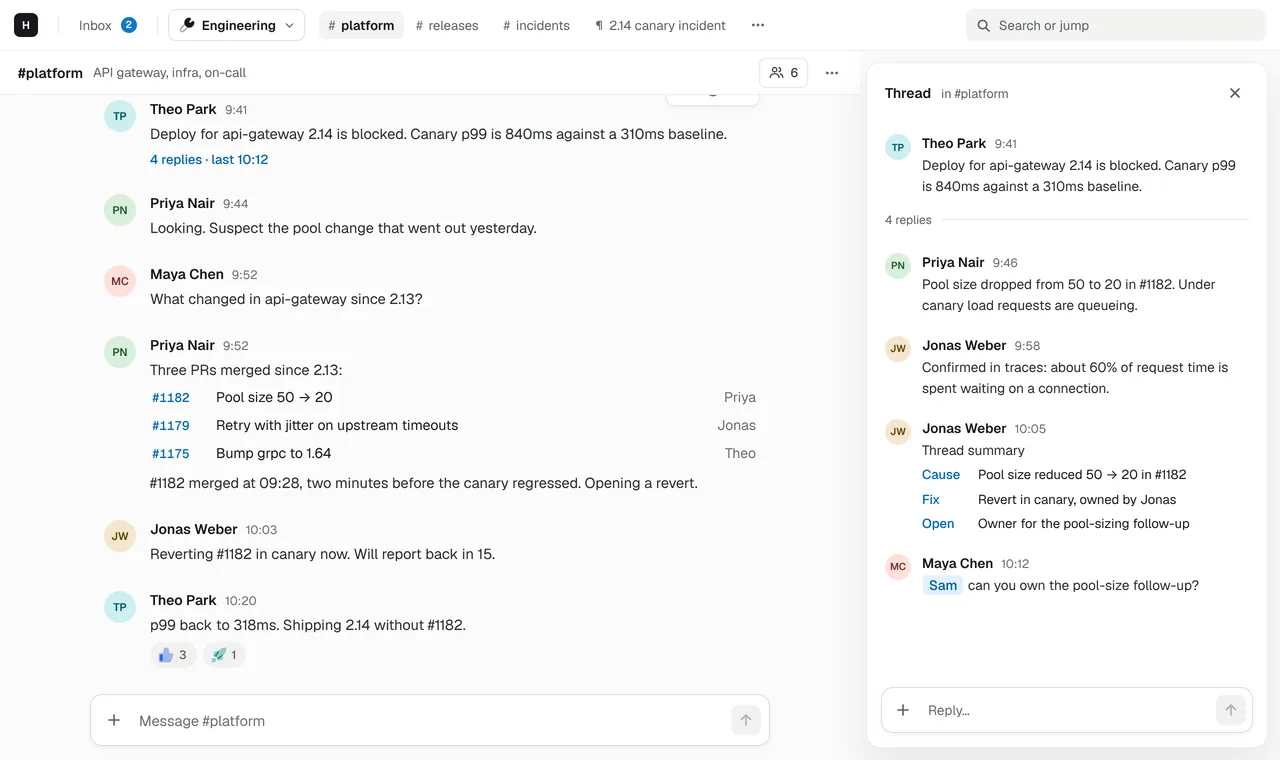
Each topic keeps its own thread, so the channel stays readable and the inbox brings back only what involves you.
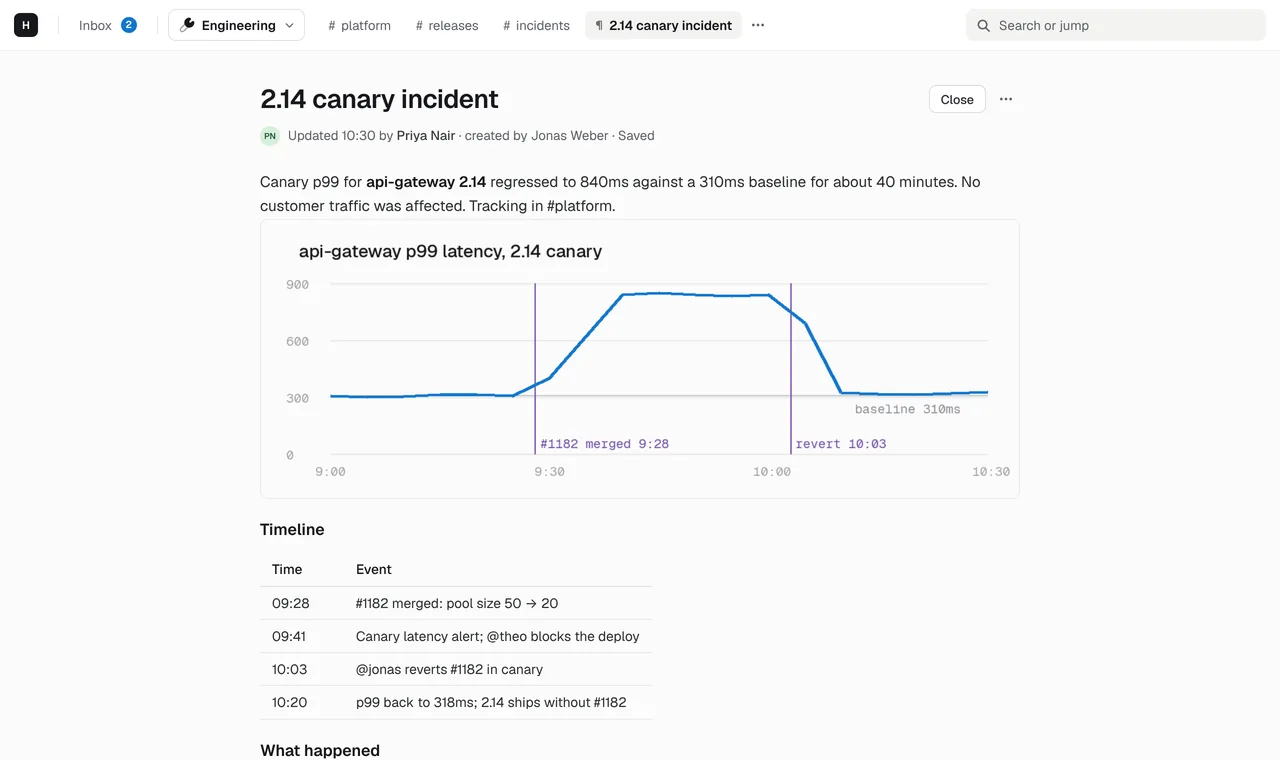
Turn the outcome into a page: the postmortem, the spec, the runbook. Edit it together and link it from the thread.
Add the workspace's MCP URL to Claude Code or Cursor, or mention @ai, and your agents work in the same channels and pages as you.
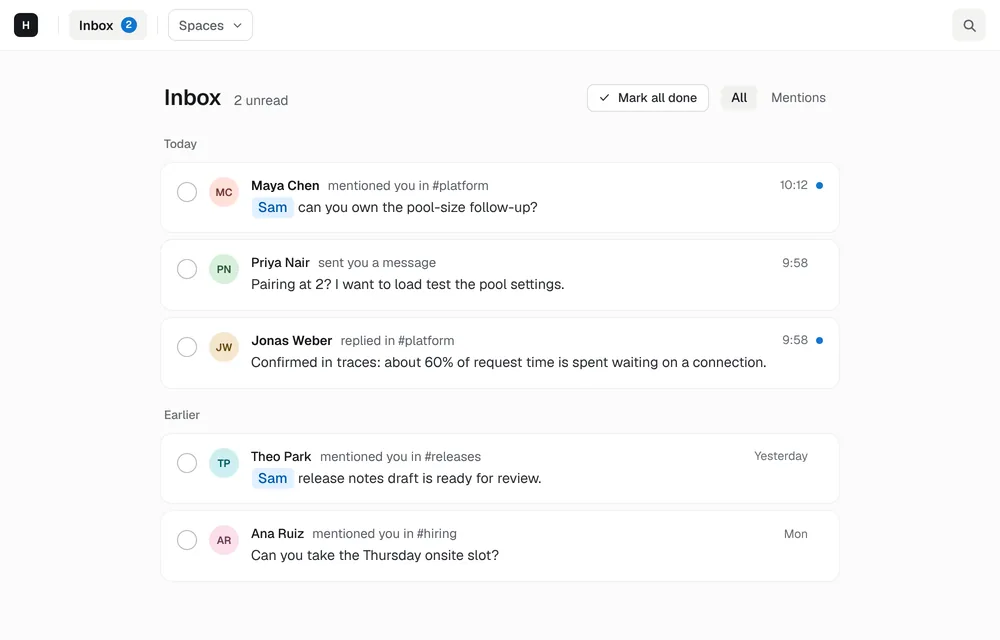
Mentions, thread replies and DMs land in a single inbox. Mark them done, snooze what can wait, undo if you slip.
Docs edited together in real time, with tables, task lists, images and Mermaid diagrams. Link one from a thread and it opens as a tab.
Add one URL to Claude Code, Cursor or any MCP client. It signs in as you with OAuth and can read and post in channels, threads and pages.
Mention @ai in a thread and it replies using the ChatGPT or Cursor account you signed in with, so usage counts against your own plan.
⌘K jumps anywhere. Switch to the Minimal style for Vim keys: j and k, g-chords and a : command line.
Install from the marketplace, by URL, or from any MCP server. Write your own as a single HTTP endpoint.
Hasarak is team chat with docs built in: channels, threads, an inbox and pages in one workspace. Every workspace is also an MCP server, so AI tools can read and post in it as you. It's made for engineering teams that want the discussion and the decision in one place.
There is a Free plan for up to 10 members, with 90 days of visible history and 2 connectors. The Team plan removes those limits and has a 14-day trial. See the pricing page for details.
Yes. On the sign-in page at app.hasarak.com, press “Continue as guest” to open a sample workspace with channels, threads and pages. It lasts 30 days, and you can keep it by creating an account.
The web app at app.hasarak.com, in any modern browser, with two styles: Modern, and Minimal with Vim keys. Terminal, desktop, iOS and Android apps are in development and not released yet.
Add your workspace's MCP URL, https://api.hasarak.com/w/<workspace id>/mcp, as a remote MCP server in the client. It opens Hasarak's sign-in page, then acts as you with the same access you have.
Not yet. Teams usually recreate the channels they use every day and keep Slack read-only for old history while they switch.
Yes. Workspace admins can download channels, messages, threads and pages as one JSON file, with pages as Markdown, from Settings › General › Export data. Members can delete their account from Settings › Account.
On servers run by OVHcloud in the United Kingdom, with encrypted backups in Cloudflare R2 in the EU. The security page lists what protects it.
Free for up to 10 members. No card needed.